Spelling & Phonics: Kids Games
RV AppStudiosEducational
4.7688.00 Reviews
- Version
- Varies With Device
- Installs
- 10.00M
- Age Rating
- Everyone
Screenshots
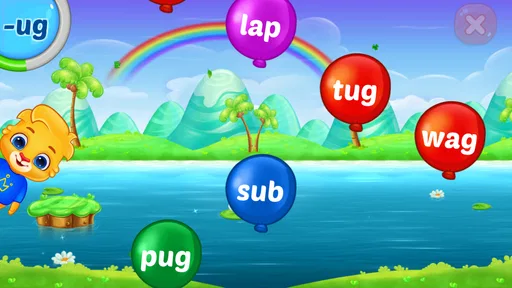
Our Review of Spelling & Phonics: Kids Games
 Analysis by Appyee
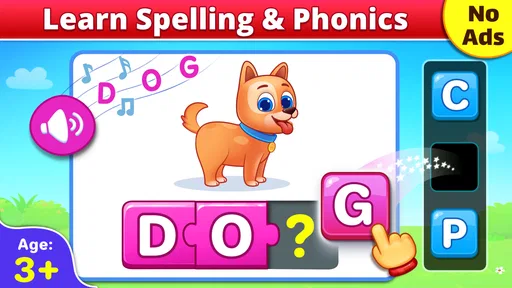
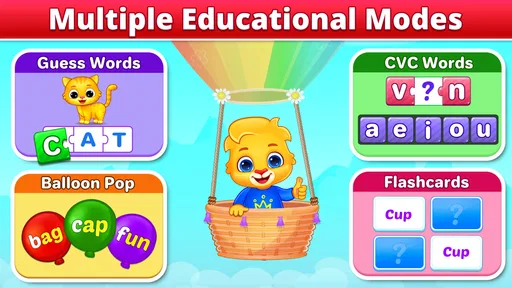
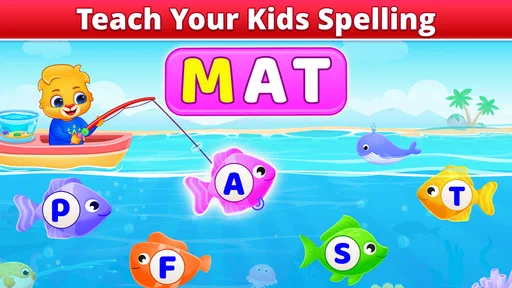
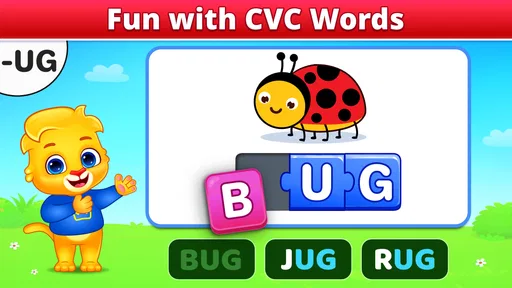
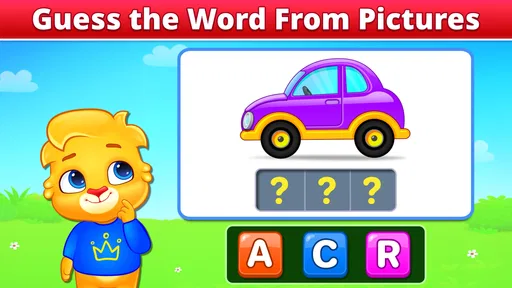
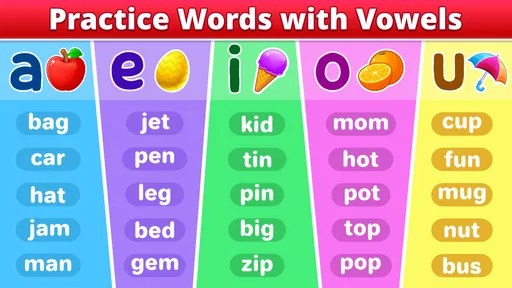
I approached Spelling & Phonics: Kids Games as a parent-friendly learning game rather than as a substitute for a full reading course. Its purpose is straightforward: give children a playful place to practise early spelling, phonics, CVC words, and basic vocabulary. In my experience, that narrow focus is its biggest strength. It is easier to bring into a short daily routine than a broad educational app that tries to teach maths, science, reading, and creativity all at once.
The game comes from RV AppStudios and sits in the educational category. It is free to use, rated for Everyone, and supports devices running Android 6.0 or later. The current version is 1.8.6, while its release date goes back to January 25, 2017. Those details matter because this is not a brand-new experiment; it is an established children’s title that has had time to become familiar to a large audience.
What the learning experience feels like
The central idea is simple enough for a young learner to understand quickly. A child can work with sounds, letter combinations, and short words without first learning a complicated menu system. That low barrier is useful when the adult’s goal is a brief practice session before school, after dinner, or during a quiet moment while travelling.
I especially like the connection between phonics and spelling. These skills are often taught separately, but beginners benefit from seeing how a sound relates to a letter and then how letters join to form a word. CVC words are a sensible starting point because they let children practise a clear consonant-vowel-consonant pattern without being overwhelmed by long vocabulary.
That does not mean every child will move through the material at the same pace. A child who already reads simple words may find the earliest activities too easy, while a child still developing speech sounds may need an adult beside them. The game works best as guided reinforcement: the child interacts with it, and the adult notices which sounds or spellings cause hesitation.
A useful routine is to let the child attempt an answer independently, then ask them to say the word slowly before offering help. This turns a quick tap into a small listening exercise. I would avoid immediately correcting every mistake, because the more valuable moment is often the child hearing the word, separating its sounds, and trying again.
Short sessions are where it makes sense
This is not the kind of game I would use as an hour-long activity. Early literacy practice is usually more effective when it is brief and repeated, and the focused design suits that approach. A few activities during a normal weekday can feel manageable, whereas a long session may become tiring or turn the learning into random tapping.
One realistic use case is a child waiting while a parent prepares dinner. Instead of handing over a general entertainment game, the parent can open this one for a short spelling exercise and then sit down for the final few minutes. The adult can ask the child to spell one word aloud after completing it, which adds a speaking and recall step without needing extra materials.
Another practical use is revision after a classroom lesson. If a child has recently encountered short vowel sounds, the game can provide a less formal way to revisit them. I would not expect it to follow a school’s exact teaching sequence, but it can help maintain familiarity between lessons.
Speed and responsiveness in everyday use
For a child’s learning game, perceived speed is less about flashy animation and more about whether the next activity appears promptly and whether the child understands what to do. The focused scope helps here: there is less cognitive clutter than in a large multi-subject platform. A young player can spend more time responding and less time searching through sections.
On a supported device, I would expect the basic experience to feel suitable for quick practice rather than demanding sustained processing power. The game’s age and broad adoption also make it feel like a mature choice rather than an untested release. Still, performance can vary with the phone or tablet, the operating system, and what else is running in the background.
For the smoothest session, I would close demanding apps before handing the device to a child. This is not unique to this game, but it matters more with younger users because even a short pause can make them think they made a mistake. A clean, simple setup also reduces the chance that the child leaves the activity accidentally.
There is a trade-off here. A lightweight learning game may feel less visually impressive than a large animated reading subscription, but that can be an advantage. Children are less likely to confuse spectacle with progress, and parents can see more clearly whether the child is engaging with the letters and sounds.
What happens during heavier use
Heavier use does not necessarily mean advanced gameplay in this case. It means repeated activities, several children sharing one device, or a longer learning block with an adult supervising. In those situations, the main pressure is likely to be attention and device handling rather than the educational concept itself.
If two children use the same phone, I would create a clear turn-taking routine rather than letting them compete for answers. The younger child may need time to listen, while the older child may answer too quickly. Taking turns also gives the adult a chance to identify whether a mistake comes from confusing a sound, recognising a letter, or simply rushing.
For repeated practice, I would change the surrounding activity instead of endlessly replaying the same type of task. For example, after an in-game spelling attempt, ask the child to find the same starting sound in a book or point to an object that begins with it. This makes the game part of a broader learning loop and prevents the device from becoming the only source of feedback.
Battery and storage demands are worth considering in a practical way, but I would not treat this as a resource-heavy game by default. Its educational purpose and focused format suggest a different profile from a large 3D title. Even so, families using an older phone should keep enough free storage and avoid starting a session when the device is already struggling with several tasks.
During travel, I would test the game before leaving rather than assuming every part of the experience will suit an offline situation. The safest workflow is to open it at home, check that the child can reach the intended activities easily, and make sure the device is charged. That small preparation prevents a learning session from turning into troubleshooting in the back seat.
Stability, interruptions, and recovery
Reliability matters more in a children’s app than many adults realise. A child who loses progress or returns to an unfamiliar screen may not know how to recover. My advice is to let an adult handle the first few sessions and observe how the game behaves when the device is rotated, locked, interrupted, or handed to another user.
I would also keep expectations realistic about recovery. A short educational activity is easy to restart, but a young learner may still feel frustrated if an interruption breaks their concentration. If the app closes or the device changes state, calmly repeat the word aloud and let the child try it again rather than treating the restart as a failure.
The game’s long presence on the platform and its large user base are reassuring signs of familiarity, but they are not a guarantee that every device will behave identically. Android hardware varies widely, especially among older phones and tablets. The minimum operating system of Android 6.0 gives a useful compatibility boundary, yet it does not tell us how fast a particular device will feel.
For a family device, I would remove unnecessary distractions before opening the game. Turn off notifications if possible, set a comfortable volume, and keep the screen within the child’s reach without letting them hold the device in a way that accidentally presses navigation controls. These small choices improve perceived reliability even when the app itself is working normally.
Device limits and the right audience
The minimum requirement of Android 6.0 makes this accessible to many older Android devices, which is helpful for families that do not own a recent tablet. However, compatibility is only the first question. Screen size, touch accuracy, speaker quality, and the child’s ability to see letter shapes all affect the learning experience.
A very small phone screen may be workable for an adult, but it can be less comfortable for a child who is still learning to distinguish letters. A larger tablet can make shared practice easier, especially when a parent wants to point at a sound or ask the child to explain an answer. The larger display is not essential, but it can reduce accidental taps and improve visibility.
Older hardware may also take longer to open or recover from interruptions. If the device already has limited free space or frequently pauses in other apps, I would not blame this game for every delay, but I would choose a simpler setup. Restarting the device before a planned session can sometimes be more useful than changing the learning routine.
The Everyone rating makes the game suitable for a broad family audience, but age suitability is not the same as individual readiness. A preschool child who enjoys recognising pictures and sounds may be ready for parts of it, while another child of the same age may need more spoken guidance. Children with established reading skills may also need a more advanced tool once basic words become effortless.
This is where the free price is genuinely helpful. Parents can try it without committing to a subscription or buying a physical workbook first. I would still judge its value by whether the child returns willingly and can explain something learned, not simply by how long the app keeps them occupied.
How it compares with common alternatives
Compared with flashcards, this game offers more immediate interaction and can make practice feel less like drilling. Flashcards remain better when an adult wants complete control over the word order, wants to use a child’s school vocabulary, or wants to work away from a screen. The game is more convenient for a quick independent attempt, but physical cards make it easier to observe pronunciation and attention.
Compared with a workbook, it provides a more responsive experience for a child who resists handwriting. A workbook is still the stronger choice for pencil control, letter formation, and visible written progress. I would pair the two rather than choosing one permanently: use the game to rehearse sounds and word recognition, then use paper for writing the words by hand.
Compared with a broad reading platform, this title is more focused and less intimidating. A larger platform may offer stories, comprehension, progress tracking, and a wider progression of difficulty. That is better for a family seeking a complete literacy programme. This game is the better fit when the immediate need is basic spelling and phonics practice without a crowded curriculum.
Its limitations become clearer for children who need personalised instruction. A teacher or speech professional can respond to a child’s exact pronunciation, explain exceptions, and adjust the lesson instantly. No general game should replace that support. I would use this as a practice companion, especially when an adult can connect the on-screen task with real words from the child’s day.
Small techniques that improve the results
First, listen for the type of error instead of only counting correct answers. If a child knows the letters but blends them incorrectly, the useful follow-up is to stretch the sounds slowly. If the child hears the word but cannot identify a letter, point to that letter in a book or on a label. The same wrong answer can have different causes.
Second, ask for a spoken explanation after a successful response. A child may tap correctly by guessing from a picture or remembering a pattern. Asking, “What sound does the first letter make?” reveals whether the learning is connected to phonics. This is a simple way to turn the game into a more meaningful assessment without adding another app.
Third, stop while the child is still engaged. Ending after a successful word can create a better association than pushing through visible frustration. The free access makes it easy to return later, so there is little reason to treat every session as a test that must be completed in one sitting.
Fourth, use everyday objects to transfer the skill. After practising a word, look for its first sound on food packaging, a toy, or a street sign. This is an important trade-off: the game offers structured repetition, but real-world reading shows the child that sounds and letters are useful beyond the screen.
Who should choose it, and who should move on
I would recommend it to parents looking for a simple introduction to phonics and early spelling, particularly when a child benefits from short, repeatable activities. It also suits families with an older Android device because Android 6.0 is enough to meet the stated minimum requirement. The free price lowers the risk of trying it as part of a home learning routine.
I would be more cautious if your child needs advanced reading comprehension, longer words, creative writing, or a carefully sequenced school curriculum. In those cases, a workbook, teacher-led practice, or a broader reading platform may offer better progression. I would also skip it as a primary tool if the child becomes more interested in tapping quickly than listening to the sounds.
The public response gives the game a 4.6 average from around 29 thousand ratings, with roughly 681 written reviews and more than 10 million installs. I see that reach as evidence that it has become a familiar option for families, not as proof that it will match every child’s learning style. The most important test remains whether your child can transfer a sound or spelling pattern from the game to a word outside it.
My performance verdict
After looking at the way its focused educational design fits real household use, I see this as a modest, practical learning game rather than a complete literacy system. Its strongest performance is likely to come in short sessions on a reasonably maintained supported device, where the child can move directly into spelling and sound practice without navigating a complicated course.
The main friction is not the concept itself but the need for adult judgement. Younger children may guess, rush, or need help interpreting a sound, and older children may outgrow the basic material. Device age can also affect opening and recovery, even when the operating system is compatible. These are manageable limitations if you set a short routine and stay involved at the beginning.
Overall, I would keep Spelling & Phonics: Kids Games in the useful starter category. It is free, focused, widely used, and suitable for Everyone, with RV AppStudios maintaining a version that supports Android 6.0 and later. I would recommend trying it when your goal is a quick, low-pressure way to reinforce early word skills, then combining it with conversation, books, and handwriting. That combination gives the game a clear role without asking it to do more than it is designed to do.
Privacy and Permissions
See what permissions an app requests and how it handles your data.
- Other
- view network connections, full network access, run at startup, control vibration, prevent device from sleeping, Google Play license check
Verdict
Strengths of Spelling & Phonics: Kids Games
- Fun phonics games make early reading practice more engaging.
- Covers letter sounds, spelling, and basic word recognition.
- Simple controls are suitable for preschool and kindergarten children.
- Bright visuals and friendly audio help maintain young players’ attention.
- Useful for short practice sessions at home or during travel.
Limitations of Spelling & Phonics: Kids Games
- Some activities may feel repetitive after extended play.
- Progression can be too easy for children who already read confidently.
- Requires audio for children to benefit fully from pronunciation exercises.
- In-app content or features may vary depending on the device version.
- Parents may need to supervise screen time and guide difficult words.
Other Releases by RV AppStudios
View All
Coloring Games: Color & Paint
Educational4.4

Drawing Games: Draw & Color
Educational4.3

Baby Games: Piano & Baby Phone
Educational4.4

Puzzle Kids: Jigsaw Puzzles
Educational4.4
Similar Picks in This Category
View All
Little Panda Policeman
BabyBus4.0

Monster Trucks Game for Kids 2
Raz Games4.1

Little Panda's Chinese Recipes
BabyBus4.4

Little Panda's Restaurant
BabyBus4.4

Little Panda's Ice Cream Games
BabyBus4.3

Baby Panda Care
BabyBus3.8
Frequently Asked Questions
What is Spelling & Phonics: Kids Games?
Spelling & Phonics: Kids Games is an educational app designed to help young children develop early reading and writing skills through interactive activities. It typically combines letter recognition, phonics sounds, word building, spelling practice, and colorful games. The format is aimed at making learning feel playful, while gradually introducing children to the relationship between letters, sounds, and simple words.
What age group is Spelling & Phonics: Kids Games suitable for?
The app is mainly intended for preschool and early elementary school children who are beginning to learn the alphabet, phonics, and basic spelling. It may be useful for children learning at different speeds, including those who need extra practice outside the classroom. Parents should review the available levels because the difficulty, vocabulary, and activities may be more appropriate for some ages than others.
Does Spelling & Phonics: Kids Games work without an internet connection?
Some learning activities may be available offline after the application has been installed, but this can depend on the device, app version, and whether additional content must be downloaded. An internet connection may also be required for updates, advertisements, purchases, or restoring premium access. Before traveling or giving the device to a child, it is best to open the app offline and confirm which features remain accessible.
Is Spelling & Phonics: Kids Games free to download and safe for children?
The app may be free to install while offering advertisements, optional purchases, subscriptions, or locked learning sections. Parents should check the store listing and in-app purchase settings before allowing independent use. Because the target audience is young children, adult supervision is recommended, especially when ads or external links are present. Using parental controls can help prevent accidental purchases and unwanted access.
What skills can children practice with Spelling & Phonics: Kids Games?
Children can generally practice recognizing letters, connecting letters with their sounds, blending phonemes, identifying beginning sounds, completing simple words, and improving basic spelling. Repeated activities may also support vocabulary, memory, concentration, and hand-eye coordination. The app should be viewed as a supplementary learning tool rather than a replacement for reading with an adult, handwriting practice, classroom instruction, or personalized educational support.
Play our best games!


